Patient Portal
At Pediatric Affiliates, we use the FollowMyHealth® patient portal to give families secure, convenient access to their child’s health information—making it easy to manage care and stay connected between visits.
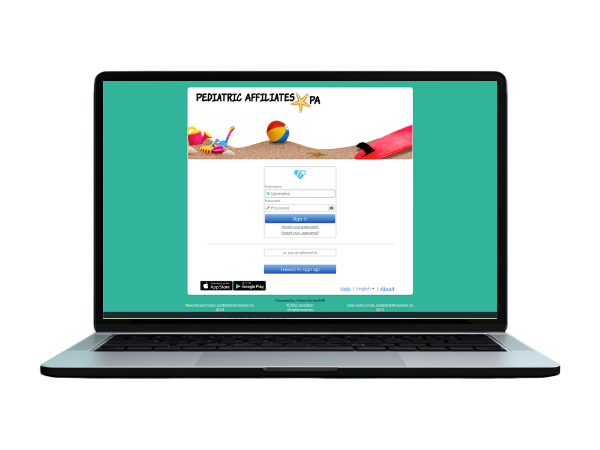
PATIENT PORTAL
Manage your child's care, anytime.
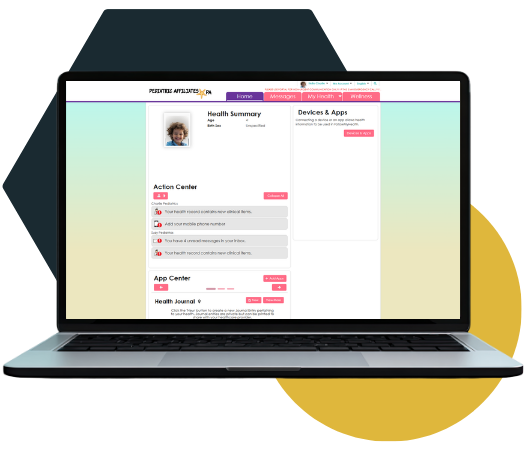
Access your child’s health information and stay connected with messages through the Patient Portal and FollowMyHealth® app.
With the portal, you can:
- View upcoming visits and recieve notifications
- Send secure messages to our office
- Maintain a health journal and wellness metrics
- View health summaries and history
- Access medications, insurance details, and more
Getting started is easy. Fill out the appropriate registration form and return it to our office. Instructions will be sent via email on how to set up FollowMyHealth®.
Portal Registration Forms
Until a child is 18 years old, a parent or guardian can have access to the patient portal as a proxy. After age 18 the patient can have their own account. Select the appropriate form to download and complete it. Please fill in all fields, sign, and return it to our office.

Complete for patients newborn to 17 years of age
Complete for patients 18+ years of age
ANYTIME MOBILE ACCESS
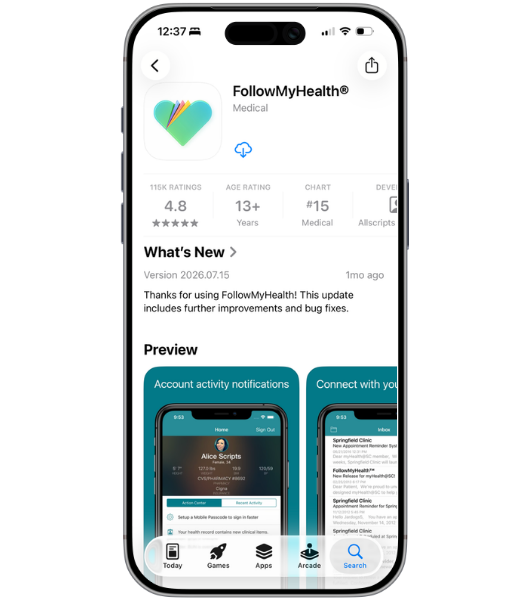
Download the FollowMyHealth® App
Downloading and using the patient portal app is easier than ever. Once you have completed the registration form and returned it to our office, you will receive an email with instructions on how to set up the account within a week.
- Receive & Read Email
You will get an email entitled ‘Patient Portal Invitation from Pediatric Affiliates’ - Download the App
Search “FollowMyHealth” in the App Store or Google Play and install the app - Create ID & Password
Create a user id and password using the app - Log In
Use your created portal username and password to sign in - Set Up & Manage
Set your notification preferences to text and/or email